Location Sharing
Sharing your own location
Location sharing means others in operation can see your position in real time. It is one of the most important Karttahimmeli features for shared situational awareness.
Location sharing is started from dedicated share button (not from the same switch as own location display).
Before starting sharing
Before enabling sharing, verify team ID follows command naming guidance. Incorrectly named location data significantly complicates command work.
Location trail - tail
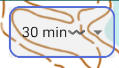
Tail is only a view
Changing tail length affects only what is currently visible on map. It does not remove the stored route history from the system, nor does it affect the length of the saved tail. Changing the tail therefore doesn't "delete" the route — you can always look at the longer history whenever you want, or replay the whole route afterwards as an animation via Replay.
Location sharing records your route. On map route is shown as tail, a line indicating where you came from.
Tail length can be adjusted in settings:
- Default: 30 minutes - often enough for search team work
- Dog search team recommendation: at least 4 hours - to notice when you cross old tracks
- Backtracking: full trail - set tail long enough to show the whole previously tracked trail
Who should share location?
Advanced: sharing to a layer
Location can be shared to separate layer instead of all users. This can be used in training where participants must not see the routes taken or location of target persons. By activating the layer, they can nevertheless follow the teams' activity in the same view alongside their own route. See Layers guide.
Multiple people in same search team can share location. In a dog team, it often makes sense that both handler and assistant share. In line search, it can be useful to keep location sharing on at both ends of the line.
Keep sharing on before making markings
Location sharing keeps the phone's GPS continuously "warm" and accurate. Whoever is responsible for making observations and markings should therefore keep their own location sharing on at all times — otherwise the GPS location for the first marking may be inaccurate, and getting an accurate fix can take a long time.
If two people in same search team use exactly same ID, their routes mix. Separate search team members with the member ID after the slash. See naming conventions.
Power saving
On Android, power-saving mode can stop location updates when display turns off. Karttahimmeli warns about this with yellow notification.
Power saving must be disabled so background location works when screen is off. Check phone power settings if this fails.
Nearby search teams on map
Tip for dog teamss
Dog air-scent reaction can be caused by nearby search team. If people are upwind, dog may react to their scent. Checking nearby search team positions on map can save significant time.
At wider zoom level you can see other search team positions. Search Team tail shows from which direction they came.
It is not recommended to keep wide zoom all the time because it disrupts your own work. But it is good to occasionally check wider picture, especially before dog team starts a search.