Replay
Replay allows you to analyse operation or training events after the fact. It shows who was where and when, what the wind direction was at each moment, and how the overall situation developed over time.
Usage
Replay is accessed from the tail menu. It plays back the operation route history as a timeline animation.
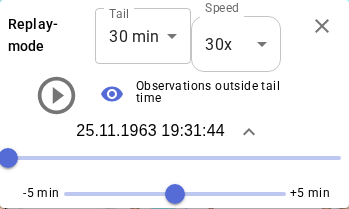
Settings:
- Tail length – how long a route trail is shown at each animation moment
- Speed – how quickly time advances
- Follow team – map automatically follows the selected search team
Replay is available for as long as the operation route history is retained on the server: up to 7 days without a password, or up to 90 days in a password-protected operation. See Operation ownership.
Wind data in Replay
Observation stations provide wind data as the 10-minute average wind for the preceding period. In Finland, this average is synced 10 minutes forward, so Replay shows the measured average wind for the actual moment being played — not a forecast.
In exercises: hidden layers
Target person's track visible in Replay
A separate layer can be used during a training exercise to record the target person's route. The layer is kept hidden from search teams during the exercise, but can be made visible in Replay afterwards. This shows both the search team movements and the target's simultaneous route as a single animation — an excellent debriefing tool.
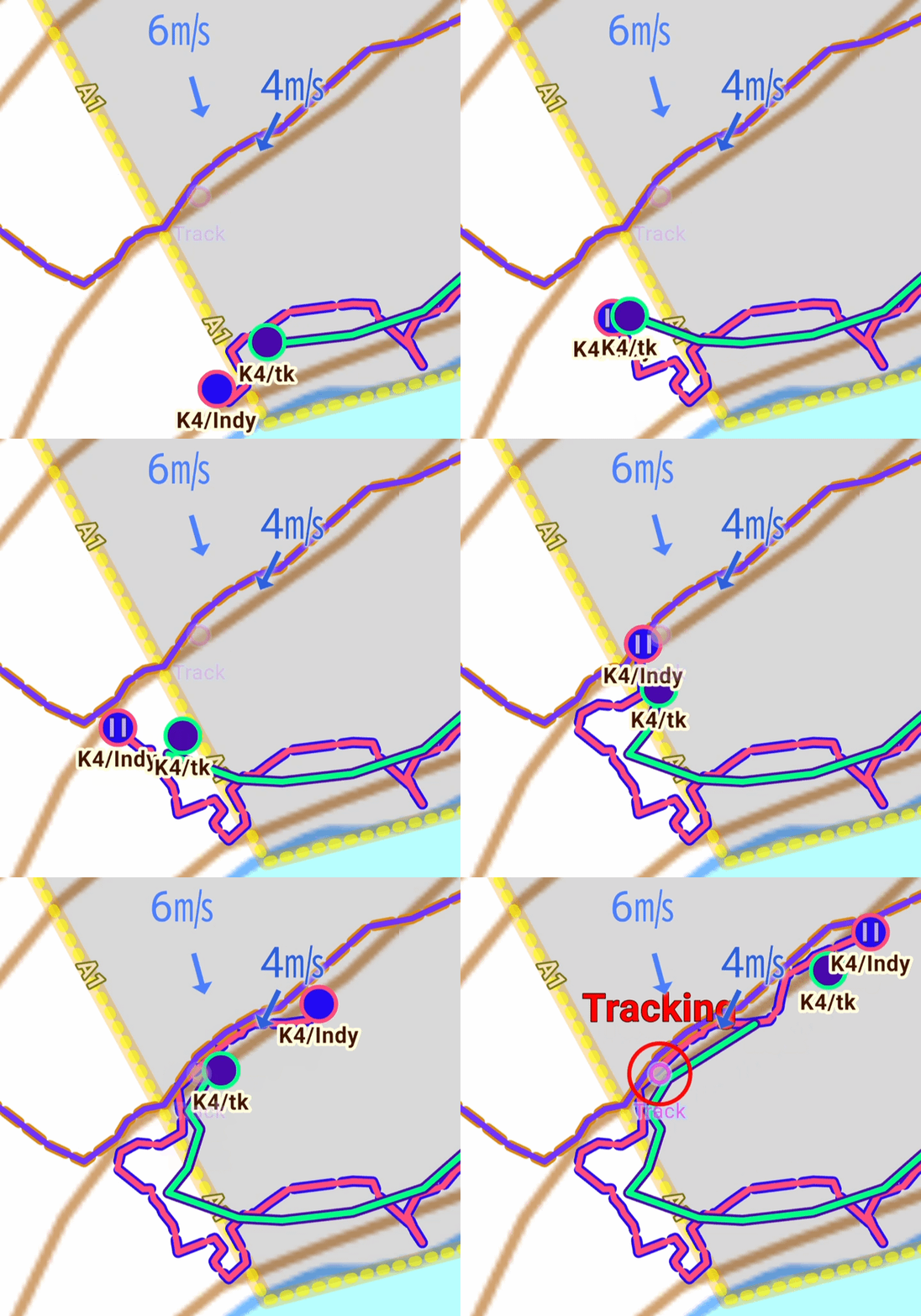
Replay is also useful for debriefing without hidden layers: search team movements, observation markings, and wind data alone provide a valuable basis for analysis.