MSO Profiling
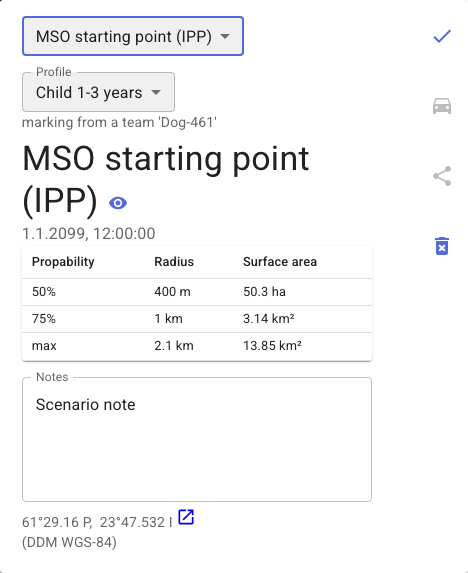
Karttahimmeli supports the MSO method so that any observation point can be changed to an MSO starting point. After this, an MSO profile can be selected for the planning point. Karttahimmeli draws distance circles on the map according to the profile. You can find more about the MSO method here
Descriptions of MSO profiles can also be found in the VAPEPA checklists
How to use
Open an observation point by clicking a marker on the map. In the observation popup, find the importance selector and choose MSO / IPP. A profile selector will appear — pick the MSO profile that fits the situation.
Karttahimmeli immediately draws the profile's distance circles on the map and shows a table with the probability, radius, and area for each circle.