Quick Start - Karttahimmeli
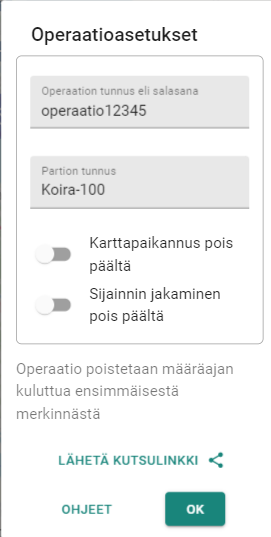
This is a short guide for what to do when alert comes and operation must be started quickly.
For patrols: five actions before field deployment
- Open Karttahimmeli - app or browser at karttahimmeli.fi
- Enter operation ID - get it from command post or QR code
- Set patrol name according to command instructions
- Check battery optimization - on Android, disable power saving
- Do not start location sharing before name is correct
For command: starting operation
- Create operation by entering new ID (avoid guessable IDs)
- Take ownership immediately via icon next to operation ID
- Write ID or print QR code visibly at command post
- Instruct patrol naming before patrols leave
- Consider password if media or outsiders are present
Quick help
| Need | Guide |
|---|---|
| Cannot join operation | Check ID spelling. Upper/lower case does not matter, spaces do not matter |
| Map does not move | Center mode is active. Press center button again |
| Markings not visible | Filter may be active. Check observation log |
| Location sharing not working | Android: turn off power saving |
| Map is slow/empty | Browse area to load map cache |