Maps and Navigation
Map selection
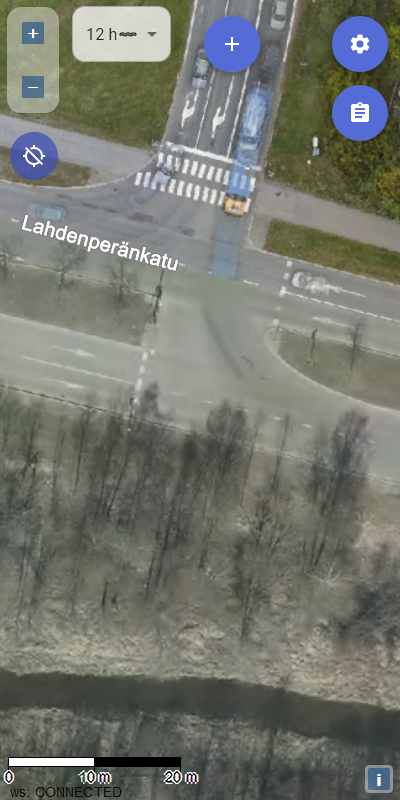
Karttahimmeli automatically selects best map for current zoom level. You do not need to switch maps manually. Zoom in/out is enough.
| Zoom level | Automatic map |
|---|---|
| Wide overview | "Road map" |
| Working view | Terrain map |
| Detailed view | Mapant ("ant map") |
| Full zoom | Aerial imagery |
Map can also be switched manually from map selector on right side.
Map options
Terrain map
Standard terrain map. Contour lines were drawn manually for original 1:20,000 scale. At high zoom, no additional detail appears.
Mapant ("ant map")
Why Mapant is often best
Mapant contour lines are machine-generated from lidar data, so they often match real terrain forms better than manually drawn terrain map. With Mapant, self-positioning in terrain is often significantly more accurate.
Green means dense vegetation, orange means open area. Black dots show steep rock or exposed stone.
Mapant is automatically generated from lidar data and resembles orienteering map. It shows terrain forms more accurately than traditional terrain map.
Aerial image
At close zoom, Karttahimmeli automatically switches to aerial imagery. Useful when surroundings need detailed visual check.
Address map
In urban areas address map is often best. Addresses are clear and area layout is easier to understand by streets.
Lightened map
When there are many map entries, map can be lightened so entries stand out. Setting is under map selection menu.
Navigation on map
Panning and zooming
Map is moved by dragging (finger on touch screen, mouse in browser). Zoom with pinch gesture (touch) or mouse wheel.
Map centering modes
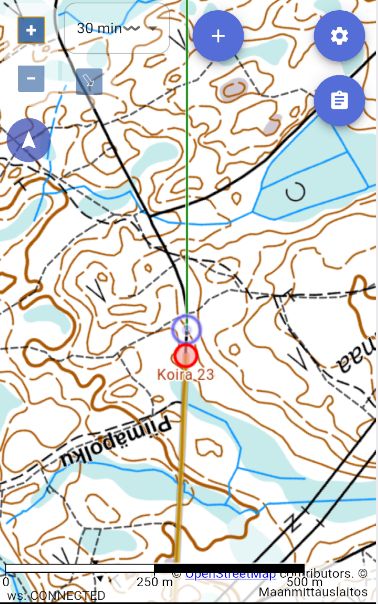
Own location display is activated from own location switch. When enabled, center button has three modes:
- Free mode (default): map can move freely, own location shown as dot
- Center mode: map follows own location automatically; map cannot pan but can rotate
- Navigation mode: map rotates automatically by travel direction and own location is shown in lower third
Using navigation mode
In navigation mode map rotates using compass or GPS heading. When standing still it uses compass, while moving it uses GPS heading. Exit by pressing button third time.
North lines and crosshair
From Preferences menu you can enable:
- North lines
- Compass rose
- Scale bar
- Wind indicators
Map cache
Advanced: offline maps
Karttahimmeli caches map tiles automatically while you browse. Before field deployment, browse operation area in both terrain and Mapant levels. Then maps work even without network.
If app reports empty cache, browse area calmly before departure.
Karttahimmeli works without network if required map tiles were cached earlier.